Task → Workflow → App: Scale Document Automation Only When Reuse Shows Up
A practical decision guide for document automation depth: run a one-time task, graduate to a workflow, and build an app only when reuse is real.
A practical decision guide for document automation depth: run a one-time task, graduate to a workflow, and build an app only when reuse is real.
A practical decision guide for document automation depth: run a one-time task, graduate to a workflow, and build an app only when reuse is real.
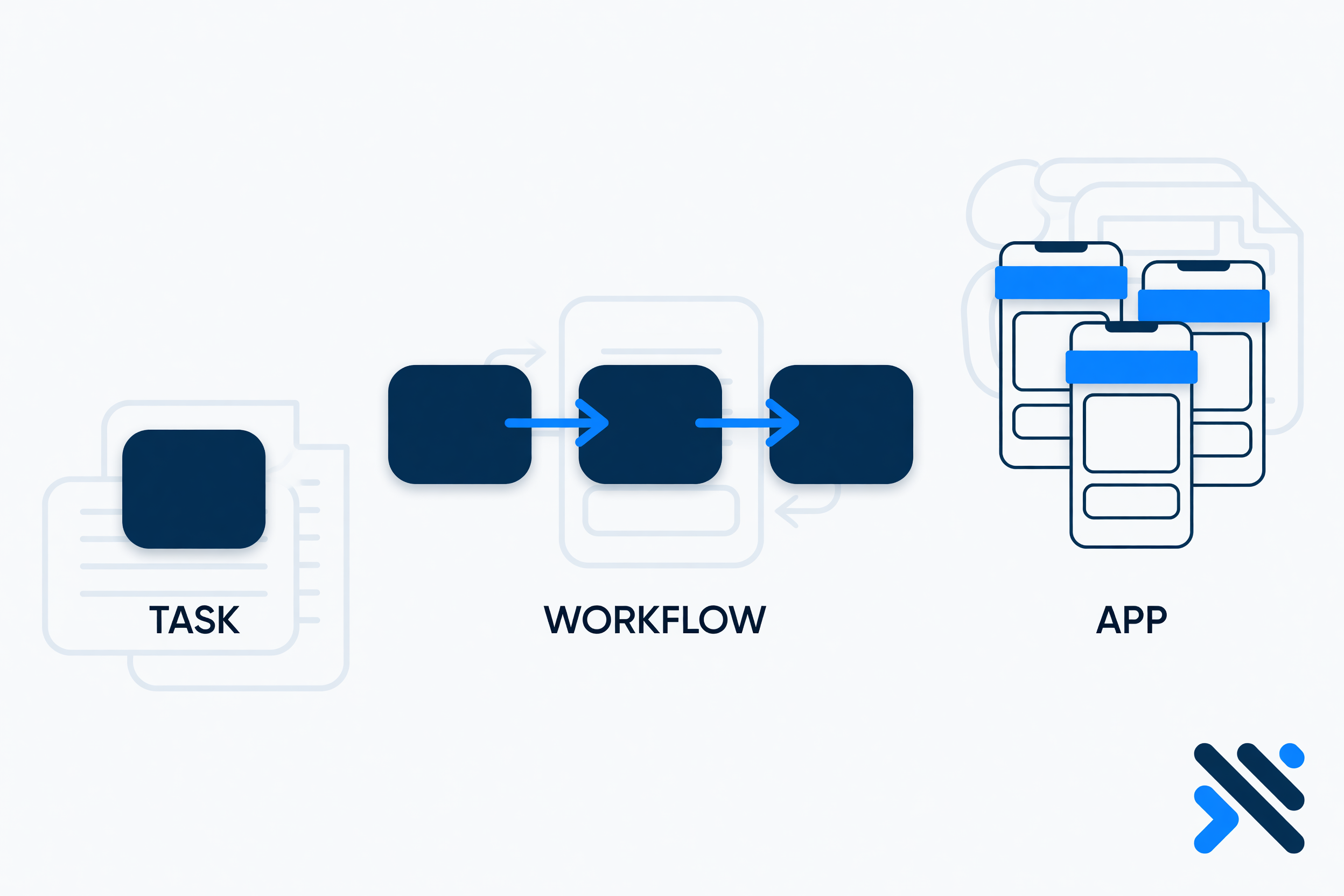
Once you accept that document work is a stack of tasks—extract, understand, respond, route—the next question is not “Which AI model?” It is how much system this work deserves.
Teams get this wrong in both directions. Some rebuild a platform for a job that should have been a single assisted task. Others run heroics in chat threads for work that clearly repeats every day and deserves a durable workflow or a lightweight app.
This guide is the decision layer: task → workflow → app, and the graduation signals that tell you when to move.
Use when you need the outcome once (or rarely): analyze this packet, extract this batch, draft this response set, route this exception pile.
Traits: low ceremony, fast time-to-value, minimal ownership politics, perfect for discovery and proof.
Use when the same chain repeats: intake → extract → understand → respond/route, with stable handoffs and a recognizable happy path.
Traits: defined steps, triggers, retries, auditability, the same play every time the document family appears.
Use when people need a reusable system: screens, roles, queues, configuration, customer or internal UX, and ongoing operation—not just a backend chain.
Traits: multi-user ownership, permissions, operational UI, lifecycle beyond a single automation run.
DocuBots is designed so teams can operate across this spectrum in one place: run document tasks, build workflows when repetition appears, and create document-centric apps when reuse demands a product surface.
Starting with an app feels strategic. It is often how document automation dies.
Apps require decisions you may not have earned yet:
A one-time task answers a cheaper question first: Can we reliably finish the expensive work on real documents?
If extraction quality is weak, understanding rules are fuzzy, or routing owners are unclear, an app will only package the confusion nicely.
Move from one-time task to workflow when several of these show up:
If only one person runs it ad hoc, keep it a task. If the business depends on the chain running even when that person is out, you are in workflow territory.
A workflow can stay a workflow for a long time. Graduate to an app when reuse needs a product, not only an engine:
If your “workflow” only works because two experts babysit a brittle path, you do not automatically need an app—you may need clearer rules, better exception design, or a narrower scope. Apps amplify clarity; they do not create it.
Teams often automate the wrong depth and the wrong task layer at the same time.
Examples:
A useful corrective: automate the costliest correct layer at the shallowest depth that works.
Costliest layer = extract vs understand vs respond vs route (where expert hours hide).
Shallowest depth = task before workflow before app.
Before you level up, write answers to these:
If you cannot answer 1–5, stay on one-time tasks until you can. If 3, 6, and 7 scream repetition and shared ownership, design the workflow. If operators need a daily surface and external participants appear, consider the app.
Family: vendor onboarding packets.
Notice what did not happen: the team did not start by designing the perfect portal. They earned each layer.
DocuBots helps businesses automate document-related tasks such as extraction, understanding, responding, and routing. You can:
Same foundation. Depth matched to reality.
Take your current document automation idea and label it honestly: task, workflow, or app. If it is labeled app and you still lack ten real samples with clear bottleneck tasks, step down a depth and run a pilot. The companion pilot playbook in this series gives you a seven-day structure, human-in-the-loop defaults, and readout metrics so graduation is evidence-based.
Scale is a reward for reuse—not a substitute for understanding the work.